Every mainstream AI assistant sends your words to a server. For most chats that's fine — but not for the private journal entry, the sensitive work question, or the moment you simply don't want a tech giant logging your thoughts. LocalMind takes the opposite approach: the AI runs on your phone, so the conversation never leaves the device. We tested what that privacy actually buys you.
What is LocalMind?
LocalMind is a private AI chat app from MobileUps that runs a language model locally on your Android device. Because inference happens on-device, your prompts and the model's replies aren't sent to a cloud server — and it keeps working with no internet connection at all.
Hands-on: AI with the plug pulled
The test that sells the concept is simple: switch on airplane mode and keep chatting. LocalMind kept answering — drafting a message, brainstorming ideas, summarizing text I pasted in — with no connection at all. For privacy-sensitive use, knowing the words physically can't be transmitted is a different kind of reassurance than a cloud service's privacy promise.
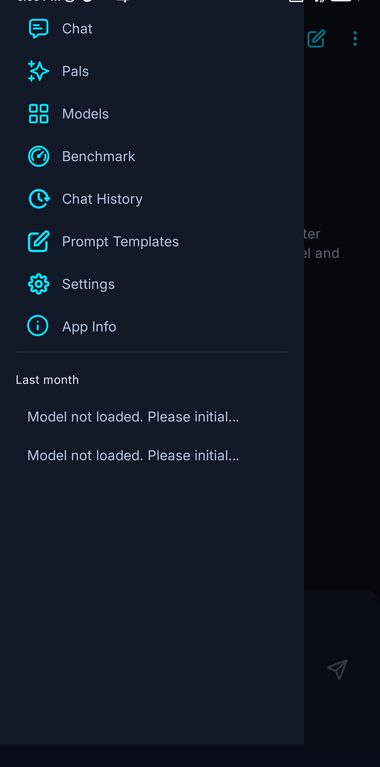
You do have to calibrate expectations. An on-device model is smaller than a giant cloud model like Claude or ChatGPT, so it's best at everyday tasks — rewriting, summarizing, simple Q&A, brainstorming — rather than cutting-edge reasoning or up-to-the-minute facts. Response speed depends on your phone; a modern device is comfortable, an older one slower.
Within that honest envelope, it's genuinely useful, and the privacy guarantee is real rather than marketing.
What stands out
- On-device processing. Your prompts and replies stay on your phone — not sent to a server.
- Works fully offline. No connection required, useful on flights or in dead zones.
- Everyday assistant tasks. Rewrite, summarize, brainstorm and answer simple questions.
- No account required. Private by design, with nothing to sign up for.
LocalMind vs cloud assistants
Compared with ChatGPT or Claude, LocalMind trades raw capability for privacy and offline access. The cloud giants are far more powerful and current, but every message goes to their servers and they need a connection. LocalMind won't out-reason them — but it's the only one you can use on a plane, in a tunnel, or with genuinely sensitive text, knowing the data never leaves your hand. They serve different needs, and many people will want both.
Who should use it — and who shouldn't
Use it if privacy or offline access matters to you, or you want a no-account AI for everyday text tasks.
Skip it if you need the strongest possible reasoning, current web knowledge, or features like image generation — those require a cloud assistant.
Our verdict
LocalMind delivers something the big assistants can't: AI that genuinely runs on your device, offline, with your data staying put. It's not a giant-cloud-model replacement and doesn't pretend to be — but as a private, offline helper for everyday writing and thinking tasks, it fills a real gap and is well worth a place on a privacy-minded phone.
Disclosure: LocalMind is developed by MobileUps, which also operates RateTopic. We've scored it honestly, including the real limits of on-device models.
Frequently asked questions
Does LocalMind really work offline?
Yes — the model runs on your device, so it answers with no internet connection.
Is it as smart as ChatGPT or Claude?
No. On-device models are smaller, so they're best at everyday tasks (rewriting, summarizing, simple Q&A) rather than advanced reasoning or current-events questions.
Is LocalMind private?
That's the whole point — because processing happens locally, your prompts and replies aren't sent to a cloud server.
Does it drain the battery?
On-device AI uses more processing than a typical app, so heavy sessions use more battery; modern phones handle it comfortably.