This app is published by MobileUps, the same operator that publishes RateTopic. This page is a developer walkthrough, not an independent scored review, so no RateTopic editorial score or Review schema is shown. Product facts were last checked July 29, 2026. Read our ownership and conflict policy.
Opening an email attachment on Android can still be weirdly frustrating in 2026. A client sends a contract as a PDF, your accountant replies with an .xlsx, and a colleague drops a Word doc into the group chat — and suddenly you're juggling three different apps, two of which want a subscription before they'll let you scroll past page one.
Document Reader pitches itself as the fix: one free app that opens, reads, and edits the document formats most people actually deal with. We installed it on two phones — a current-gen Pixel and a four-year-old budget Samsung — and used it as our only document app for two weeks. This is what we found.
What is Document Reader?
Document Reader (full Play Store name: Document Reader: PDF & Office) is an all-in-one document app for Android from the publisher MobileUps. It opens and edits PDF, Word, and Excel files — plus PowerPoint and plain-text documents — without forcing you into a subscription just to view a file. It's a free, ad-supported download with an optional in-app purchase.
Hands-on: two weeks as my daily document app
The first real test was a 180-page, image-heavy PDF — a product catalogue that routinely makes lightweight readers stutter. Document Reader opened it in a couple of seconds on the Pixel and, more importantly, stayed smooth while scrolling and pinch-zooming. On the older Samsung it took noticeably longer to render the heaviest pages, but it never crashed, which is more than I can say for one of the "big name" office apps I've used.
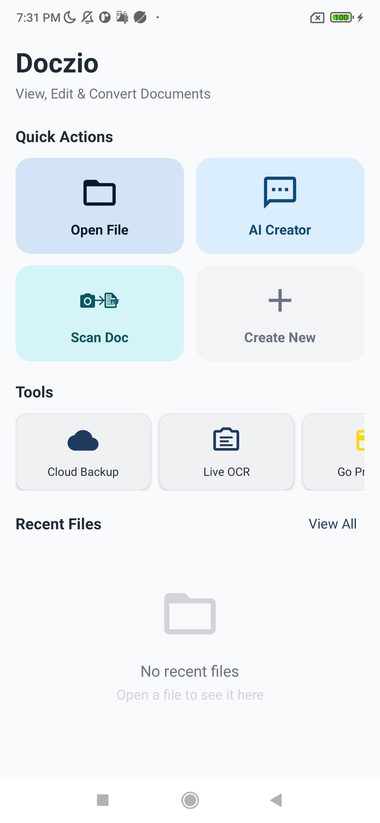
Word documents were the pleasant surprise. I opened a contract with tracked-changes-style comments and tables, made a few edits to the text, and the layout held together when I reopened the file elsewhere — the part most mobile editors get wrong. Spreadsheets are clearly the app's harder problem: simple budgets with formulas displayed and recalculated fine, but a dense multi-sheet workbook with conditional formatting is still better left to a desktop. That's true of every mobile editor I've tested, Document Reader included.
What I appreciated most is mundane: sharing. Opening a file from Gmail, marking it up, and sending it back took three taps and never bounced me out to a file manager. For day-to-day "read this, tweak that, send it back" work, that flow is the whole ballgame.
The features that actually matter
- Genuinely multi-format. One app for PDF, Word, and Excel means you're not installing three readers. In practice this is the main reason to keep it on your phone.
- Fast PDF rendering. Large and image-heavy PDFs open quickly and scroll smoothly on modern hardware, with page thumbnails for jumping around long documents.
- Real editing, not just viewing. You can edit text in Word documents and cells in spreadsheets rather than being locked behind a paywall the moment you tap "edit."
- Search inside documents. Find-in-document works across the long PDFs and contracts where it matters most.
- Sensible sharing & export. Open from an attachment, edit, and send back without a detour through three other apps.
Let's talk about the ads
Document Reader is free because it's ad-supported, and we're not going to pretend otherwise. You'll see a full-screen interstitial ad at natural break points — typically when you open or close a document rather than mid-scroll, which is the right call. It's not the cleanest reading experience you can buy, but it's a fair trade for an app that doesn't gate basic viewing behind a subscription, and the placement avoids the worst sin of interrupting you mid-task. If the ads bother you, the in-app purchase removes them.
Pricing
The core app — viewing and editing PDF, Word, and Excel files — is free. There are no view-blocking paywalls, which is the headline. A one-time in-app purchase removes ads . For most people the free, ad-supported version is perfectly usable; the purchase is for those who open documents often enough that the interstitials add up.
How Document Reader compares
The obvious alternatives each have a catch. Microsoft 365 (Office) is the most powerful editor on Android, but its best features increasingly nudge you toward a subscription, and it's a heavier install. WPS Office matches Document Reader's all-in-one pitch and adds more tools, but it's also famously aggressive with ads and upsells. Google's own viewers (Drive, Docs, Sheets) are clean and free, but editing fidelity on complex Word/Excel files can drift, and you're committing to Google's ecosystem.
Document Reader's lane is clear: it's lighter than Office, less cluttered than WPS, and more willing to actually edit a file than Google's viewers — at the cost of advanced power-user tools. If you want one no-friction app to handle the documents normal life throws at you, that's a good lane to be in.
Who should install it — and who shouldn't
Install it if you regularly receive mixed document types on your phone, you want to view and lightly edit them without a subscription, and you'd rather have one app than three.
Skip it if you do heavy spreadsheet work with complex formulas and macros, or you need desktop-grade layout control — that's a job for a computer, not any phone app.
Developer notes
This publisher-maintained guide describes current features and limitations. It is not an independent recommendation or rating.
Frequently asked questions
Is Document Reader free?
Yes. Viewing and editing PDF, Word, and Excel files is free. The app is ad-supported, and an optional in-app purchase removes the ads.
Can Document Reader actually edit PDFs and Word docs, or only view them?
It edits as well as views. You can change text in Word documents and edit cells in spreadsheets without hitting a paywall first.
Does Document Reader work offline?
Yes — opening and editing local files works without a connection.
Is it safe? Does it upload my documents?
Files you open are handled on your device for normal viewing and editing. As with any app, review the Play Store data-safety section for specifics before working with sensitive documents.
Methodology and corrections
Our reviews separate verified product information, observed behavior, pricing, privacy considerations, and editorial judgment. See the full scoring and evidence policy. If a fact has changed or you spot an error, send a correction.